In this lesson, we'll use Generative AI to analyse an old photograph.
We'll restore the image and get rid of any scratches and blurriness. Once
that's done, we'll colourise it. Word of warning, though. Scratch removal
and sharpening can create plausible but invented detail. Colourisation
cannot establish the original colours. It is an AI interpretation, not
a historical restoration.
In the previous lesson, we used ChatGPT. We could use this again, as
it does image creation and manipulation very well. However, we'll switch
to Google's Gemini, just so you can get some experience switching AIs.
Plus, it's one of the big players on our list, so it will be nice to see
what it can do. Let's make a start.
Download the Image
The image we'll use is the one below. Simply because it's owned by the
author of this article, so we're free to let you use it. But you can use
your own old image, if you prefer. Here is the image:
Right click the image and save a copy to your own computer. We'll be
uploading it to Gemini soon. First, a word about AI and its ability to
revive old photos. What, typically, can they do?
What can Image AI do to revive an old photograph?
AI restores old photographs by using deep learning models to analyse
patterns in millions of healthy images and apply that knowledge to damaged
ones. One of the most common functions is super-resolution or upscaling,
where the AI fills in missing pixels to increase the resolution of a blurry
or small photo, making the image appear sharper and more detailed.
The technology also handles physical damage through a process called
inpainting. When the AI detects a scratch, a crease, or a missing piece
of the photo, it examines the surrounding textures and colours to intelligently
fill in the gap, effectively erasing the blemish so it blends seamlessly
with the rest of the image. Similarly, denoising tools remove the heavy
film grain or digital noise common in very old or low-quality shots, smoothing
out the image without erasing critical details.
For black-and-white or sepia images, AI colourization identifies objects
within the frame - such as skin, foliage, or clothing - and assigns them
realistic colours based on its training data. Beyond colour, AI often
performs face restoration, which is a specialized form of enhancement
that focuses specifically on human features. Because facial structures
are predictable, the AI can reconstruct eyes, teeth, and skin textures
that have faded over time, bringing a level of clarity to a portrait that
traditional editing cannot achieve. Finally, AI can automatically balance
exposure and contrast, lifting shadows and toning down highlights to recover
detail from photos that have faded due to sun exposure or chemical degradation.
Photo Analysis
The first thing we'll do is get Gemini to analyse the photo and ask what
it can do for us.
If you're not happy uploading your old photos after you have read the
privacy pages, then you certainly have the right to use another service.
For this exercise, however, we'll go ahead. We'll also sign in.
If you don't have a Google account, or don't want one, you might be out
of luck with the big players - OpenAI's ChatGPT, for example, asks you to sign in before you can do anything with an image.
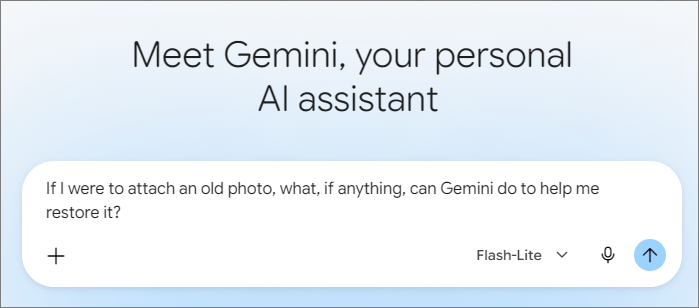
But we went ahead and typed a question for Gemini:
If I were to attach an old photo, what, if anything,
can Gemini do to help me restore it?
Here is the reply we got back:
The last sentence is helpful. You can copy and paste a variation of it
into the Ask Gemini text box at the bottom:
Annoyingly, Gemini presented us with two, long choices, asking us to
select one. Neither of the choices we were given were what we wanted.
If this happens to you, type something more explicit in the text box:
Here's what we got back:
Gemini made a plausible guess from visual clues, but it can't verify
the date of your photos, relationships, or location from the image alone.
But it did list the ways the photo can be fixed. We typed a new prompt
for it to go ahead with the fixes:
Here is the new version of the image after Gemini's fixes:
It's a nice restore, in that the scratches and marks have now gone. But
it's still a little blurry. Here's a new prompt:
Here is the new version:
A lot better!
Now, we can go ahead and ask Gemini to colorise the photo. First, if
you'd like to know something about the picture, such as the fashions,
just go ahead and ask:
For this picture, you'll probably get back lots of information of working-class
families in the industrial North East of England engaged with mainstream
1920s trends. For example: "The seated women and bride wear T-strap
and Mary Jane heels with sturdy, low heels. These were designed for everyday
durability and social dancing (like the Charleston), far more practical
for working-class women than delicate silk slippers".
It might give you a summary of life in 1920s North East England: "In
1920s North East England (dominated by mining, shipbuilding, and heavy
industry), economic conditions were tough leading up to the Great Depression.
The fashion here reflects 'respectability and pride' - using
clean lines, clever home-sewing, and carefully maintained formalwear to
look sharp and modern despite financial constraints".
You can ask a similar question about your own photos to gain some insight.
But bear in mind that the AI might not actually be giving you the correct
information. If it's important, always double-check, and with a source
that's not AI driven.
Now we'll go ahead and colorise the image. Again, just a warning here
- the AI gives you the colours that it thinks is correct for the time
period. It's choices are based on the data it has analysed. You may very
well disagree with the colours it went for.
And here's our final result:
And we can ask a follow-up question:
You'll get a lengthy answer back on why it went for the colours it did.
Here's ours. We give it in full because it has made mistakes.
It seems to have gotten the men mixed up. And there's no striped suit
or blue tie:
The Left Man (Grey Wool Suit):
The Centre Man (Dark Suit):
The Right Man (Striped Suit):
If something like this happens to you, don't be afraid to query it:
Gemini gave us this back:
Which is a great example of not taking on trust what AI tells you. As
the saying in the medical world goes, "Always read the label".
(In the world of AI Image Generation, that saying has now morphed into,
"Always count the fingers".)
But have fun with your own old photos. You may gain some insights that
you had never thought of.