Home and Learn: AI Beginners Course
Get More VRAM - Rent a GPU
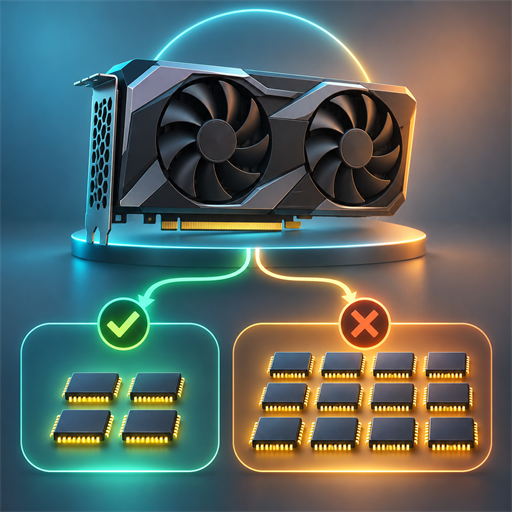
Your computer's graphics card has a limited amount of VRAM: fast memory used by the GPU. It is one of the first limits people encounter when trying local AI. A model may need 24 GB, 48 GB or even 80 GB of VRAM, while a perfectly capable home PC may have an 8 GB, 12 GB or 16 GB graphics card.
Renting a GPU is a practical way around that limit. Instead of buying an expensive graphics card, you rent a remote computer that already has one. You connect through a web browser or remote desktop, run the AI software there, download the results, and shut the machine down when finished.
In simple terms, you're not adding VRAM physically to your own PC. You're temporarily using somebody else's more powerful PC in a data centre.

What GPU rental is for
GPU rental is commonly used for jobs that are too large, slow or memory-hungry for a home machine:
- Generating AI images with tools such as ComfyUI, Automatic1111 or Forge.
- Creating AI video, which can require far more VRAM than image generation.
- Running large language models locally rather than sending prompts to a commercial chatbot.
- Training or fine-tuning an AI model, such as a LoRA.
- Transcribing, translating or processing large audio/video collections.
- 3D rendering, scientific computing and software development.
For a beginner, the attraction is straightforward: a few pounds or dollars can provide access to 24 GB, 48 GB or 80 GB of VRAM for a particular project, without buying a £1,500-£10,000+ GPU.
How rental charges work
Most GPU rental is usage-based. You create an account, add payment details or credit, choose a machine, then pay while it is running. Signing up is normally free; using the hardware is not.
The usual charging methods are:
- Hourly or per-second billing: best for occasional use. A ten-minute experiment should not cost a full day.
- Reserved monthly rental: a lower rate in return for committing to one, three or six months.
- Spot or interruptible rental: cheaper capacity which can be taken away by the provider. Useful for work that can be restarted, risky for an unsaved long render.
- Serverless billing: suited to developers running an app or API, rather than someone using an interactive desktop.
Always read the whole price screen. The GPU is often the largest charge, but storage, CPU/RAM, internet transfers and a machine left running can add to the total.
As a rough illustration, a $0.89/hour RTX 4090 costs about $7.12 for eight hours, but about $641 if accidentally left running for a 30-day month. A cloud GPU is wonderfully flexible; it is also very good at spending money quietly.
The Main Providers for Renting a GPU
There are many suppliers, but beginners are most likely to encounter RunPod, Vast.ai, Lambda and the larger cloud platforms such as Google Cloud, AWS and Microsoft Azure.
RunPod
RunPod is popular with AI hobbyists because it offers ready-made "pods" and templates for software such as ComfyUI and Jupyter. It has lower-cost Community Cloud machines and more controlled Secure Cloud machines.
Its published pod prices on 18 October 2026 include the following examples:
| GPU | VRAM | Published rate |
|---|---|---|
| RTX A5000 | 24 GB | $0.27/hour |
| RTX 3090 | 24 GB | $0.50/hour |
| RTX 4090 | 24 GB | $0.89/hour |
| A40 / RTX A6000 | 48 GB | $0.59/hour |
| RTX 6000 Ada | 48 GB | $0.99/hour |
| A100 PCIe / SXM | 80 GB | $1.79/hour |
| H100 PCIe | 80 GB | $2.89/hour |
| H100 NVL | 94 GB | $3.19/hour |
| H200 | 141 GB | $5.29/hour |
These are provider-published rates, so availability and the selected cloud tier matter. RunPod's current price list is the place to check before starting.
Pros: approachable interface; AI templates; good choice of GPUs; straightforward short-term use.
Cons: storage and running time still need managing; the cheapest
Community Cloud capacity may be less consistent than a dedicated data-centre
service; popular GPUs may not always be available.
Vast.ai
Vast.ai is a marketplace. It connects renters with people and companies offering spare GPU capacity. That competition can make it very inexpensive, particularly for consumer GPUs such as RTX 3090s and RTX 4090s.
Unlike a fixed-price shop, the exact price depends on location, host, GPU, reliability, disk, internet speed and demand. Vast advertises on-demand, interruptible and reserved options; its on-demand instances are billed per second, while interruptible machines may be reclaimed. Its live pricing page should therefore be treated as a marketplace display, not a permanent price list.
| GPU class | VRAM | Typical marketplace expectation |
|---|---|---|
| RTX 3090 / RTX 4090 | 24 GB | Often among the cheapest practical AI choices; rate varies by host |
| RTX 5090 | 32 GB | More VRAM, usually a higher price |
| RTX A6000 / A40 / L40S | 48 GB | Useful step up for larger models and video |
| A100 | 40 GB or 80 GB | Premium training and large-model choice |
| H100 | 80 GB or more | Very fast, generally premium-priced |
Vast says its marketplace includes more than 68 GPU types, with prices set by supply and demand. It advertises H100 access from $0.90/hour, but that is a "from" price, not a promise that a suitable machine will be available when you need it. Vast's provider information explains the distinction.
Pros: potentially excellent value; huge range of hardware; templates are available; useful filters for VRAM, price and reliability.
Cons: quality varies by host; more choices mean more chances to choose poorly; a very cheap machine may have slow disk, poor upload speed or lower reliability.
Lambda
Lambda is a more conventional specialist GPU cloud provider. Its on-demand cloud machines are Linux virtual machines with AI tooling installed, including CUDA, PyTorch, TensorFlow and JAX. Lambda's documentation lists options from 24 GB A10/RTX 6000 machines through 48 GB A6000s and 80 GB A100/H100 systems.
| GPU | VRAM per GPU | Configuration and published example rate |
|---|---|---|
| A100, four GPUs | 40 GB | $10.00/hour for the instance |
| H100, one GPU | 80 GB | $4.00/hour |
| A100 SXM | 80 GB | Available in multi-GPU configurations |
| A6000 | 48 GB | Available in one-, two- and four-GPU configurations |
Pros: professionally managed infrastructure; generous CPU/RAM/storage configurations; suitable for longer technical jobs.
Cons: more technical than a one-click image-generation website; capacity can be limited; published configurations can be expensive for casual experimentation.
Google Cloud and the hyperscalers
Google Cloud, AWS and Azure are the major enterprise choices. They offer strong security, regional choices, networking, business support and integration with other cloud services. They are often used by companies building production software rather than by someone making a few images at home.
Google Cloud lists, for example, a 16 GB T4 at $0.35/hour and an L4 virtual workstation with 24 GB VRAM at about $0.56/hour, before considering the associated virtual-machine costs. It also provides A100 and H100 accelerator-optimised machines. Google's price documentation makes an important point: a GPU is not always the whole bill.
Pros: reliable infrastructure, good documentation, UK/European regions, strong business controls.
Cons: billing and setup can be intimidating; costs can include the virtual machine, disk and network as well as the GPU; usually not the cheapest route for a beginner.
Do you need the biggest GPU you can afford?
Usually, no. Choose the smallest GPU that will comfortably run the job.
More VRAM allows a larger model, higher image resolution, larger batch size or longer video. It does not automatically make every job dramatically faster. An 80 GB A100 is sensible if the software genuinely needs more than 48 GB; it is wasteful if a 24 GB RTX 4090 completes the same project.
Start with the program's recommended VRAM figure, then leave some spare capacity. For example:
- 8-12 GB: many smaller image and language-model tasks.
- 24 GB: a very useful level for serious image generation and many local models.
- 48 GB: a comfortable option for larger workflows, video and bigger language models.
- 80 GB+: for genuinely large models, training and demanding professional work.
Remember that two 24 GB GPUs do not normally become one 48 GB GPU. Some specialist multi-GPU software can share work, but beginners should assume that a job needing 48 GB needs one 48 GB-or-larger card.
Should you pay for disk space?
A rental machine needs somewhere to store the operating system, AI software, models and outputs. Temporary disk space is often included; persistent disk space is charged separately or costs more.
Paying for persistent storage is worthwhile when you want to keep downloaded models, custom workflows and projects between sessions. It saves repeated downloads, which can take a long time for multi-gigabyte model files.
The downside is that storage keeps costing money even when the GPU is stopped. It can also tempt you to keep rented data indefinitely. A sensible beginner approach is to use a modest, persistent volume for frequently used models, download final work to your own computer, and delete unneeded cloud files.
Do not store private, sensitive or irreplaceable files on a rental machine without understanding the provider's security arrangements. Keep local backups.
Do you need to be a technical expert?
No, but you do need to be careful. Templates can remove much of the difficult setup. A ComfyUI, Automatic1111, Jupyter or text-generation template may start with the drivers and software already installed.
The beginner-friendly route is:
- Pick a reputable provider.
- Choose a recognised template.
- Select the least expensive GPU with enough VRAM.
- Set a spending limit or small initial credit.
- Run one short test.
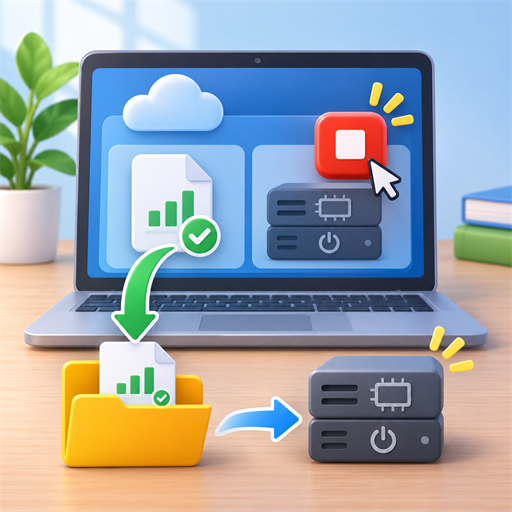
- Download your results.
- Stop the machine, then confirm that billing has stopped.
You will gradually learn useful terms such as Docker container, SSH and persistent volume, but you do not need to master them before producing a first image.
The pitfalls to avoid
The crucial habit is this: stop or terminate the rental when you are done. Closing a browser tab does not necessarily stop a pod. A stopped pod may still charge for attached storage; a running pod charges for the GPU.
Also watch for:
- Choosing an interruptible machine for work that cannot be resumed.
- Forgetting to save a workflow, model settings or output before terminating.
- Downloading enormous models repeatedly instead of using sensible, persistent storage.
- Upload/download charges and slow transfer speeds.
- Assuming a template is safe or up to date; use well-known templates and avoid entering secrets into unknown notebooks.
- Exposing a web interface publicly without a password.
- Selecting a distant region, causing sluggish remote use and slower transfers.
- Looking only at VRAM and ignoring CPU, system RAM, disk space and reliability.
- Treating marketplace from prices as guaranteed prices.
- Leaving a machine running overnight 'just in case'.
GPU rental is best thought of as a tool, not a subscription you must keep forever. Rent a powerful GPU for the jobs that need it; use your own PC for everything else. That combination is often the cheapest way for a beginner to explore AI without being limited by the VRAM inside their computer.